Hub of Edits: Offline PDF Editor & Tools
A complete, privacy-first document utility suite directly in your browser toolbar. Edit, merge, compress, protect, and convert PDF documents locally with zero cloud uploads and zero internet required.
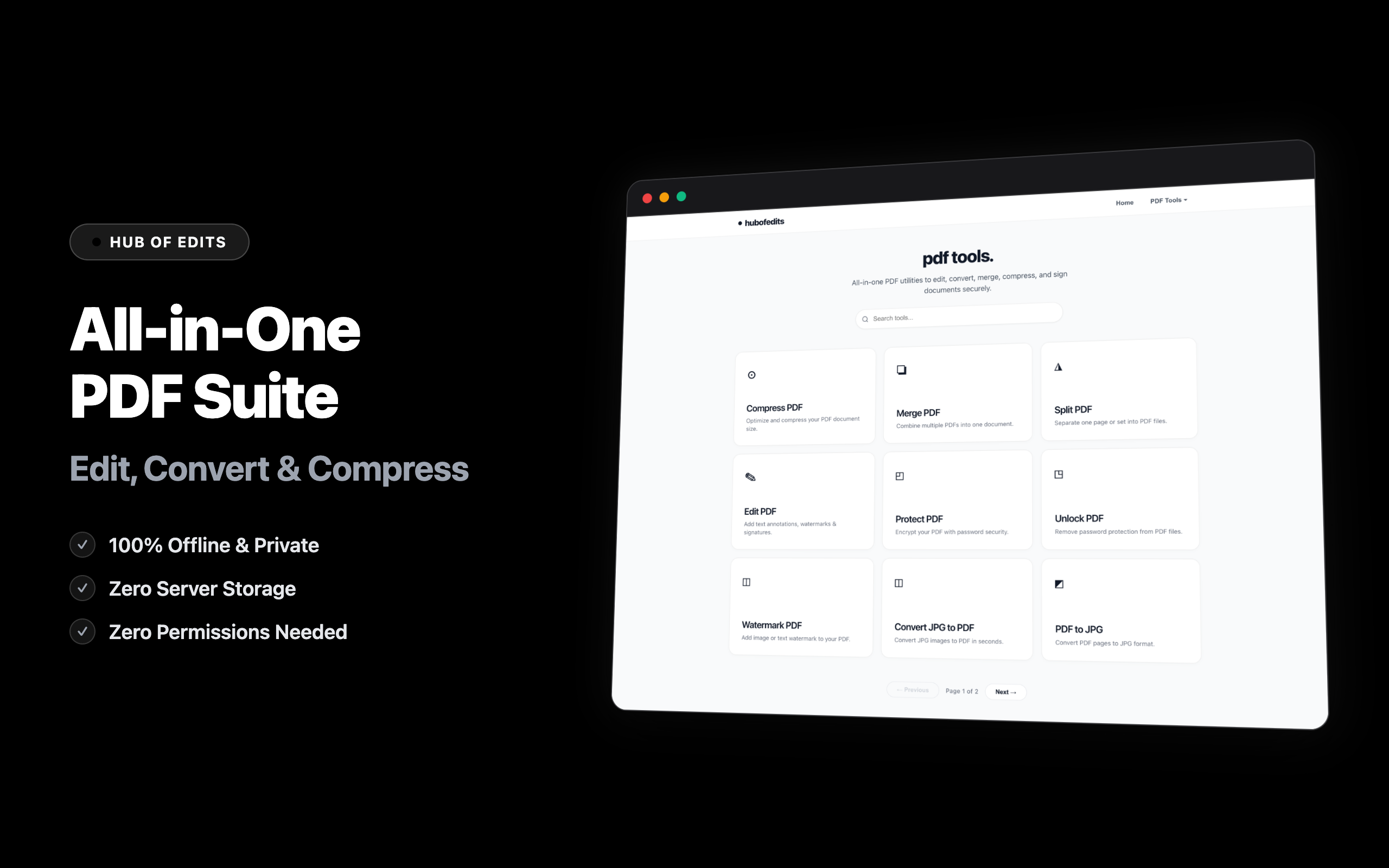
Important Note: Extension vs. Full Website Tools
The Hub of Edits Chrome Extension is designed to be ultra-lightweight, zero-permission, and strictly 100% offline. Because it operates with zero network access inside a sandboxed browser extension, it does not include all the tools that are available on our official website (hubofedits.com).
The extension is packed with 11 essential offline PDF tools(Merge, Split, Compress, Edit & Sign, Protect, Unlock, Watermark, PDF to Word, JPG to PDF, PDF to JPG, and Video to PDF). If you need advanced media tools—such as our 40+ image converters, AI background remover, full photo editor, custom QR code generator, Excel to PDF, Webpage to PDF, HTML to PDF, or downloader tools—please visit the main website at hubofedits.com.
How to Use the Chrome Extension
Follow these simple steps to install and start editing your documents with complete privacy.
Install from Chrome Web Store
Visit the official extension store page and click "Add to Chrome". Confirm the prompt. Notice that Chrome will confirm it requires zero special permissions.
Pin to Your Browser Toolbar
In Chrome, click the Extensions puzzle icon in the top-right toolbar. Find Hub of Edits in your list and click the Pin icon so it is always 1-click away.
Open Anytime — Even Offline
Click the Hub of Edits icon in your toolbar anytime. A clean, dedicated offline studio opens in a tab. You can use it anywhere: on flights, trains, or with your Wi-Fi completely turned off.
Select a Tool & Drop Your Files
Choose from any of the 11 offline tools (e.g. Merge, Edit & Sign, Compress, Watermark). Drag and drop your PDF or image files directly into the window.
Process & Save Directly
Configure your options (e.g. signature, password, or compression level) and click Save / Download. Everything runs locally in your computer's memory no file leaves your device.
Need More Tools?
Need photo background removal, Excel to PDF, or 40+ media converters? Simply switch to hubofedits.com whenever you have an internet connection.
11 Built-in Offline Tools
Every single one of these utilities runs 100% inside your local browser via WebAssembly and JavaScript.
Merge PDF
Combine multiple PDF files into a single unified document with visual drag-and-drop page ordering.
Split PDF
Extract specific page ranges, separate chapters, or break multi-page documents into individual files.
Compress PDF
Reduce file sizes locally through structural optimization, perfect for email attachments.
Edit PDF & Sign
Add custom text, annotations, shapes, freehand markup, and electronic digital signatures to pages.
Protect PDF
Encrypt documents locally with robust password protection (AES / RC4) natively in browser memory.
Unlock PDF
Remove passwords and unlock printing/editing restrictions from protected PDF files you own.
Watermark PDF
Stamp documents with custom text or image watermarks, adjusting transparency and position.
PDF to Word
Extract document typography and layout semantics to generate editable Microsoft Word (.docx) files.
Convert JPG to PDF
Combine multiple JPG, PNG, and WebP images into a clean, paginated PDF file.
PDF to JPG
Render high-resolution image snapshots from individual PDF pages for easy export.
Video to PDF
Extract key video frames from MP4 or WebM files into an organized chronological PDF presentation.
Extension vs. Hub of Edits Web
Choose the right tool for your specific workflow.
| Feature / Capability | Chrome Extension | hubofedits.com (Website) |
|---|---|---|
| Pricing & CostSubscription, fees, or hidden costs | ✓ 100% Free Forever | ✓ 100% Free Forever |
| Offline FunctionalityWorks with Wi-Fi / Internet disconnected | ✓ 100% Offline Always | − Requires Internet Connection |
| Browser PermissionsAccess to tabs, network, browsing history | ✓ Zero Permissions Required | ✓ Standard Web Browser Sandbox |
| Core PDF ToolsMerge, Split, Compress, Edit, Sign, Protect, Watermark | ✓ 11 Core PDF Tools Included | ✓ All PDF Tools Included |
| 40+ Format ConvertersAVIF, WEBP, TIFF, HEIC, EPS, SVG, ICO, etc. | ✕ Not Included in Extension | ✓ Full 43+ Format Matrix |
| AI Photo Editing & Background RemovalNeural segmentation & image retouching | ✕ Not Included in Extension | ✓ Full Web AI Suite |
| Office & Web ConvertersExcel-to-PDF, Webpage-to-PDF, HTML-to-PDF | ✕ Partial (PDF to Word only) | ✓ Full Suite Available |
| Data Privacy & Zero LogsFiles never uploaded to remote servers | ✓ 100% Local RAM Processing | ✓ 100% Local Processing & Zero Logs |
Frequently Asked Questions
Is the Chrome extension truly 100% free?
Yes, absolutely. There are no subscriptions, no paywalls, no trial periods, and no watermarks placed on your exported documents. You can use it as often as you like without restriction.
Does it really work completely offline?
Yes. All logic and libraries (WebAssembly and JavaScript) are packaged inside the extension bundle itself. You can disconnect your internet, turn on airplane mode, and perform any of the 11 PDF tasks without interruption.
Why doesn't the extension have every tool from hubofedits.com?
Our website includes heavy AI models (such as machine-learning background removal) and 40+ dynamic image format engines that would make an extension download very large and resource-intensive. The extension is kept lightweight and focused on the 11 most vital offline PDF utilities. For other tools, you can always visit hubofedits.com.
What permissions does the extension ask for?
Zero permissions! When you install it from the Chrome Web Store, Chrome will show that the extension does not request access to your browsing history, tabs, website data, or network connections. It is completely isolated and private.
Can I sign or annotate PDF files in the extension?
Yes. The built-in Edit PDF tool allows you to draw your signature, type text, add shapes, or insert images into your PDF documents right inside the extension window.
Are my sensitive documents safe?
Completely safe. Because the extension has no network permissions and does not connect to any external server, your tax forms, contracts, and confidential files never leave your computer.
Ready to Edit PDFs 100% Offline?
Install the free Hub of Edits extension from the official Google Chrome Web Store today. Zero permissions, zero data tracking, maximum privacy.